


dub: Social Investing Unlocked
4.5223.00 Reviews
App Specs
- Version
- 5.61.0
- Updated On
- License
- Free
- Downloads
- 100,000+
- Developer
- dub Support Team
- Categories
- Finance
- Platform
- Android
Screenshots
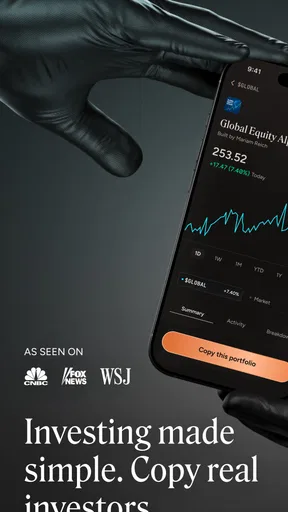
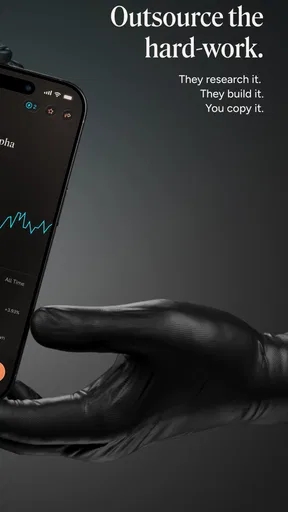
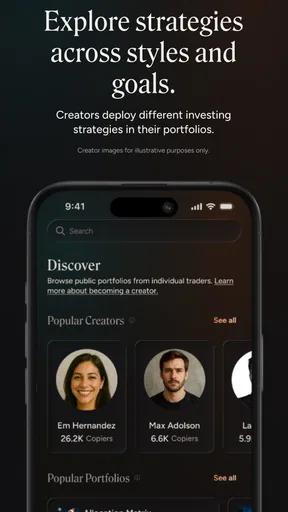
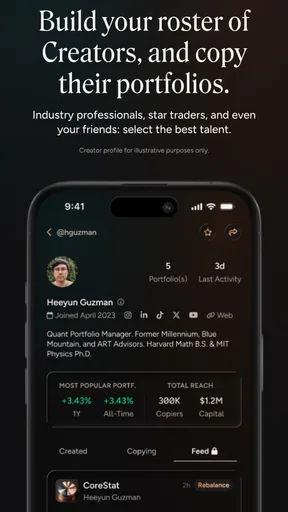
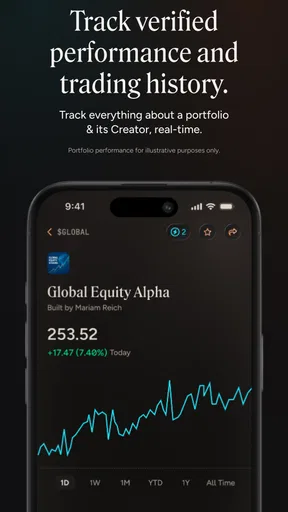
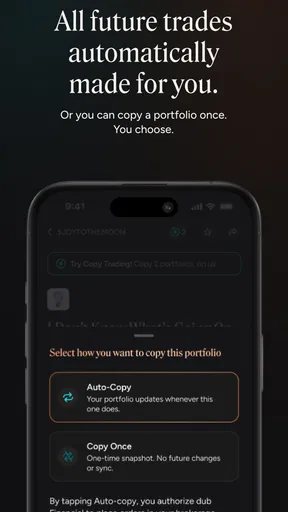
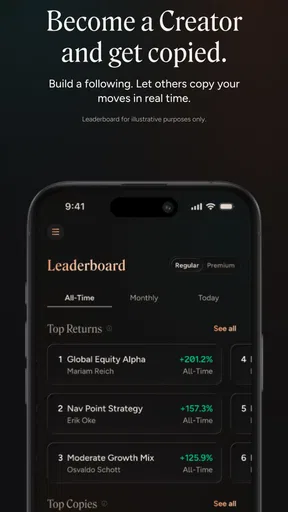
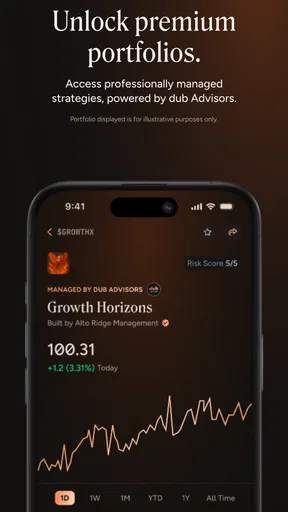
 Analysis by AppCompare
When I’m considering a finance app, I want to know not only what it helps me do but also what happens when I’m checking it between errands, on an unreliable connection, or with only a minute to spare. dub: Copy Trade Anyone is built around copying other people’s trades, so it makes most sense when I can take time to review a trader’s approach rather than treat every notification as a prompt to act. Its appeal is convenience, but convenience does not remove the need to understand the choices I’m making.
Getting Started with Ease
First things first, downloading and setting up dub: Copy Trade Anyone is a breeze. Available on both Android and iOS, the app greets you with a clean and intuitive interface right from the get-go. Signing up was straightforward, and I appreciated how the app walks you through the initial setup process. No need to worry about getting lost in a sea of options or having to Google every other term!
That approachable start is useful, but I would still separate learning how the app works from deciding to put money at risk. Copying a trader can make a complicated activity easier to follow; it cannot tell me whether a strategy suits my finances, time horizon, or comfort with losses. I’d begin by exploring the available information and deciding what I want to learn before treating the copy feature as a shortcut to an investment plan.
The Art of Copy Trading
Once you're set up, the real fun begins. The app's core feature is its ability to let you copy trades from seasoned professionals. It's like having a mentor guiding your every move, without the awkward small talk. You can browse through a list of traders, check their performance, and choose whose strategy aligns with your goals. The transparency here is impressive, with detailed stats on each trader's success rate, risk level, and trading style.
I would read those details as clues, not guarantees. A performance figure can look reassuring while still leaving practical questions: how does a trader behave when conditions change, how much fluctuation can I tolerate, and would I make the same choice if I were acting manually? One useful habit is to compare a few profiles before settling on anyone, then write down why one seems like a better fit. That gives me a personal reference point later, instead of letting a recent result or a persuasive presentation make the decision for me.
One thing I found particularly nifty is how the app allows you to allocate a specific portion of your funds to different traders. This means you can diversify your investments and not put all your eggs in one basket. It's like creating your own dream team of traders!
Even so, splitting funds across traders is not the same as removing risk. If several people follow similar ideas, spreading an allocation may offer less variety than it first appears. I’d keep the amount I assign deliberate and manageable, and avoid choosing more traders simply to make the portfolio look diversified. The practical question is whether I can explain the role of each allocation and remain comfortable with it if the results turn against me.
Worth Reading Before You Choose

EA SPORTS FC Mobile 26 Is a Bigger Football Game, but It Takes Time

Flipboard Shows What News Apps Must Do Beyond the Feed

Switching to Android Auto Means Rethinking Your Driving Routine

Google Calendar Makes a Crowded Week Easier to Manage

Ludo King Makes the Most of the Minutes Between Plans

Baby Panda World Brings Quick Play to Modern Phones, but Its Game Library Feels Busy
Features That Stand Out
The app offers several features that make it stand out in the crowded trading app market. For instance, the notification system is top-notch. You get real-time alerts on trades, ensuring you're always in the loop. Plus, the app provides educational content for those who wish to learn more about the trading world. It's like having a mini trading course right in your pocket.
Notifications are most helpful when I treat them as a reason to review, not an instruction to react immediately. If an alert arrives while I’m commuting, working, or handling something else, I can note it and come back when I have enough attention to understand what changed. That small boundary matters: a phone can make financial updates feel urgent even when the better response is to pause and think.
Another cool feature is the social aspect. You can connect with other users, share insights, and discuss strategies. It's like a social network for traders, fostering a community of like-minded individuals.
For me, the social side works best as a place to encounter questions and viewpoints, not as a substitute for checking the reasoning behind a trade. Popularity and confidence in a discussion do not establish that a strategy fits my needs. I’d use community conversation to identify terms or assumptions I want to investigate, then return to the trader information and educational material with those questions in mind.
Mobile Use, Connectivity, and Recovery
Because the experience revolves around current trading information, I’d use the app when I have a dependable internet connection and enough time to make sense of what I’m seeing. On a busy day, checking a profile before heading out is more useful than trying to make a considered choice while moving between places. The phone format is convenient for staying aware, but a small screen and divided attention are not ideal conditions for comparing strategies carefully.
A realistic routine might be to review a few traders at home, decide what portion of funds—if any—I’m comfortable allocating, and then use alerts during the day as reminders to check in later. That is a more measured use of mobile access than attempting to monitor every development. If a connection drops or information takes time to load, I would avoid making a rushed decision based on an incomplete view; I’d wait until I can reconnect and review the relevant details.
That approach also answers a common practical concern: the app is more useful as a connected service than as something I would rely on for uninterrupted access. I would plan important reviews for a moment when the network is stable, and I wouldn’t assume that a notification alone contains everything needed to act. If the connection is unreliable, pausing is a sensible choice, especially when the alternative is to guess what has changed.
Who Will Get the Most from It?
I can see this being a good fit for someone curious about investing who wants a more guided way to explore trading and is willing to learn as they go. Copying offers a concrete way to observe how another trader’s activity relates to a chosen strategy, while the educational material can help a newcomer build vocabulary. It may also suit someone who already understands the basics but wants to compare approaches in one mobile setting.
I would steer away from it if I wanted guaranteed returns, hands-off income, or a way to avoid making financial decisions. Copy trading still involves judgment, and a beginner who does not understand the possibility of losses may be better served by learning the basics first or considering a simpler, less active alternative. Likewise, someone who prefers to choose each investment independently may find manual research more comfortable than following another person’s trades.
Compared with a conventional brokerage app, dub puts the social and copy-trading idea closer to the center of the experience. A standard investing platform may be a better match for someone who wants to research and place each trade themselves, while a dedicated learning resource may be preferable for someone who is not ready to invest. The distinction is less about which approach is universally better and more about whether I want to follow strategies, make each decision directly, or focus on education first.
Security and Support
Of course, in the world of trading, security is paramount. dub: Copy Trade Anyone doesn't skimp on this front. The app uses encryption and has several layers of security to protect your data and investments. Plus, their support team is just a tap away. I had a minor question about a feature, and the response was swift and helpful. It's reassuring to know that help is readily available should you need it.
I’d still make ordinary account-safety habits part of using any finance app: keep access credentials private, review prompts carefully, and contact support when something about the account or a feature is unclear. For decisions involving money, getting an explanation before proceeding is better than assuming I understand a screen simply because the interface feels friendly.
There are also practical costs to keep in mind. dub is free to download, but it includes in-app purchases ranging from $9.99 to $89.99 per item. I’d check what an optional purchase offers and whether it is relevant to the way I plan to use the app before paying. A free starting point does not mean every part of the experience is necessarily free, so it is worth making that distinction early.
What to Know Before Installing
dub is a finance app from dub Support Team. It has an average rating of 4.5 from around 1.3 thousand ratings, with about 200 written reviews, and has been installed over 100 thousand times. It is rated for Everyone, was released on November 21, 2024, and its current version is 5.35.0. The listed minimum operating system is 8.0, so I’d check that my device meets the requirement before trying to install it.
Those details help set expectations about availability and audience, but they do not settle whether the service is right for an individual investor. My more useful test would be to explore how trader profiles are presented, understand the allocation choices, and decide whether I can comfortably keep up with the app’s connected, information-led style. If I only want a place to check a balance or make occasional self-directed purchases, a simpler finance app may involve less to evaluate.
Final Thoughts
Overall, dub: Copy Trade Anyone is a fantastic app for anyone looking to dip their toes into trading without feeling overwhelmed. Its user-friendly interface, combined with the powerful feature of copying trades from experts, makes it a standout choice. Whether you're a newbie or someone with a bit more experience, there's something here for everyone.
So, if you've ever thought about trading but didn't know where to start, give this app a try. Who knows, you might just discover a new passion or even a new income stream. Happy trading!
My recommendation comes with one important qualification: use the accessible presentation as a starting point for learning, not as a reason to stop asking questions. I’d take time to compare traders, keep allocations intentional, and review alerts when I can focus and connect reliably. For someone comfortable with those habits, dub offers an approachable route into copy trading; for anyone seeking certainty or a completely hands-off answer, it is not the right fit.
Pros
- User-friendly interface for easy navigation.
- Wide selection of traders to follow.
- Real-time updates on trades and performance.
- No hidden fees; transparent cost structure.
- Customizable risk management settings.
Cons
- Limited to specific trading platforms.
- Some features require a premium account.
- No demo mode for risk-free testing.
- Requires stable internet for real-time updates.
- Limited educational resources for beginners.
FAQs for dub: Social Investing Unlocked
What is dub: Copy Trade Anyone and how does it work?
dub: Copy Trade Anyone is an app designed to simplify trading by allowing users to automatically copy trades from experienced investors. Once you select a trader to follow, the app replicates their trades in your portfolio. This feature is ideal for beginners who want to learn and potentially profit without extensive market knowledge.
Is dub: Copy Trade Anyone suitable for beginners?
Yes, dub: Copy Trade Anyone is particularly suitable for beginners. The app’s user-friendly interface and instructional guides make it easy to understand. By following experienced traders, new users can learn strategies and gain insights into market trends without needing deep expertise in trading.
What are the fees associated with using dub: Copy Trade Anyone?
The app operates on a freemium model, where basic features are available for free, but premium features may require a subscription or fee. It's essential to check the app's pricing section for detailed information on transaction fees, subscription plans, and any additional costs involved.
How secure is my investment with dub: Copy Trade Anyone?
Security is a priority for dub: Copy Trade Anyone. The app employs encryption and secure protocols to protect user data and transactions. However, as with any investment, there are inherent risks. Users should research and select traders carefully and consider diversifying their portfolios to mitigate risks.
Can I customize which trades to copy on dub: Copy Trade Anyone?
Yes, the app allows users to customize their copy settings. You can choose which traders to follow and adjust the amount you invest in each trade. This flexibility enables you to tailor your investment strategy according to your risk tolerance and financial goals.


